Built for web freelancers who are done donating change requests.
Turn “just one more thing” into approved paid work.
ScopeApproval turns vague client asks into priced approval packets, so extra website work gets approved before it quietly becomes free.
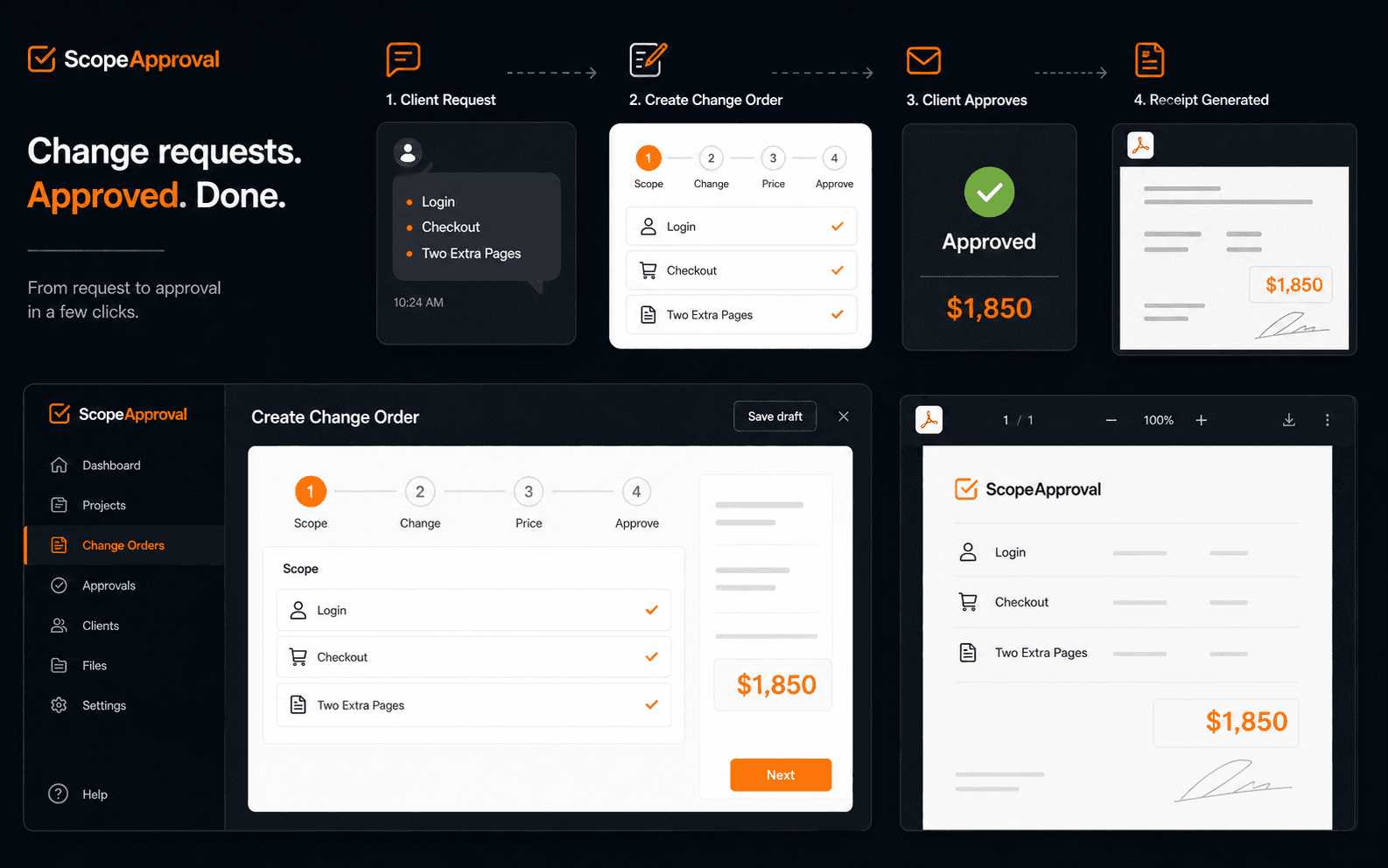
The moment this was made for
“Can you also add login, checkout, and two extra pages?”
That is not a tweak. It is a new feature set wearing a hoodie. ScopeApproval gives you the words, price, timeline shift, and approval click that turn it into paid work.
The workflow
From scope creep to written approval in four calm steps.
Paste the original scope
What was included in the website project, revision limit, or statement of work.
Describe the new request
Auth, checkout, CMS edits, new pages, integrations, or redesign rounds.
Set price and timeline
Hourly or flat fee. ScopeApproval turns it into a clear additional investment.
Send the approval packet
The client approves online. You get the receipt before starting the work.
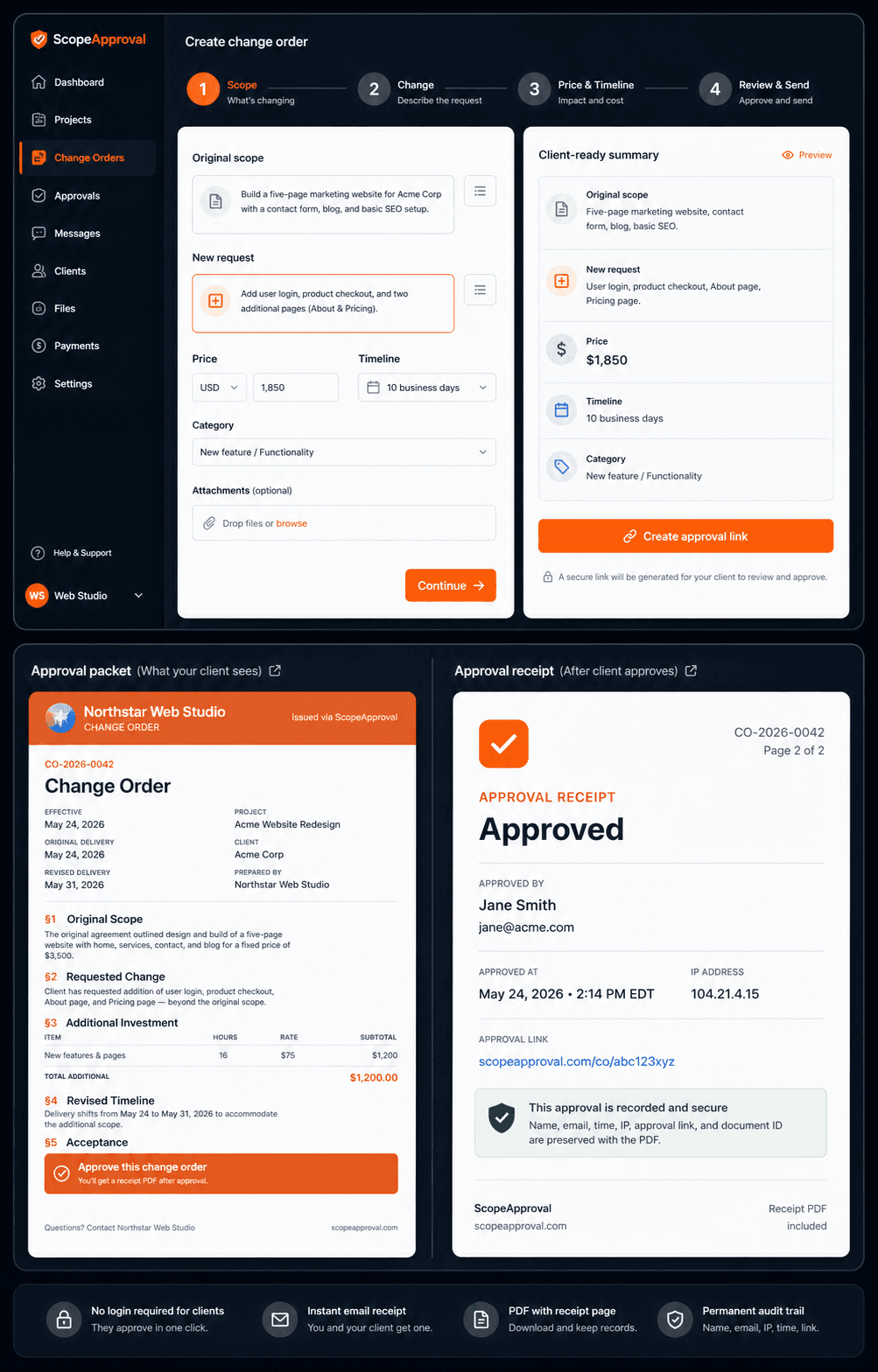
Stop answering scope creep with “sure, I can look into that.”
The casual ask
A Slack message makes $1,850 of new work sound like a tiny favor.
The approval packet
Your reply becomes a clear price, revised timeline, and client-ready approval URL.
The receipt
Name, email, timestamp, IP, and approval URL are attached to the PDF record.
The document has to look expensive
Your change order should look like it belongs next to the invoice.
ScopeApproval PDFs use a premium packet layout: project summary, scope change, itemized cost, timeline impact, signature area, and an approval receipt page after the client clicks approve.
Approval receipt
Approved
Page 2 of 2
Timestamped approval record
Name, email, time, IP, approval link, and document ID are preserved with the PDF packet.
Built around the sentence freelancers actually need to say.
“That is outside our original scope. I can absolutely do it. Here is the change order for written approval before I start.”
One approved change request usually pays for the year.
If a client asks for two extra pages, a checkout flow, or a new integration, ScopeApproval should pay for itself before lunch.
Free
- ✓1 change order/month
- ✓All 3 tone styles
- ✓Client approval URL included
- ✓Email notification on approval
- ✓Copy to clipboard
Solo
- ✓Unlimited change orders
- ✓PDF download (branded)
- ✓Your name & brand color on PDF
- ✓12-month history
- ✓Client approval URL
- ✓Email notification on approval
Pro
- ✓Everything in Solo
- ✓Logo on PDF (full branding)
- ✓Email change order to client
- ✓Auto follow-up reminders
- ✓Client + project tracker
- ✓Revision limit alerts
- ✓Up to 3 team seats
Agency
- ✓Everything in Pro
- ✓Unlimited team seats
- ✓Rate card templates
- ✓REST API + Zapier
- ✓Role-based permissions
- ✓Priority support
Questions web freelancers ask before they finally charge for the extra work.
How do I tell a client a request is out of scope?+
Name what was included, name the new request, and send a priced change order before starting. ScopeApproval turns that moment into a clean approval link instead of an awkward negotiation.
What is the difference between a revision and a change request?+
A revision improves work already included in the original scope. A change request adds new functionality, pages, integrations, rounds, or timeline pressure. ScopeApproval helps make that line visible.
Do clients need an account to approve?+
No. They open the approval packet, enter their name and email, and click approve. You get a timestamped approval record and a receipt page on the PDF.
Is this just ChatGPT for change orders?+
No. The AI draft is only the start. The approval URL, client packet, PDF receipt, and dashboard record are the part that turns words into a business process.
The next “quick change” should arrive with a price.
Create the approval packet before you open Figma, VS Code, or your inbox.
Generate a change order free